Introduction
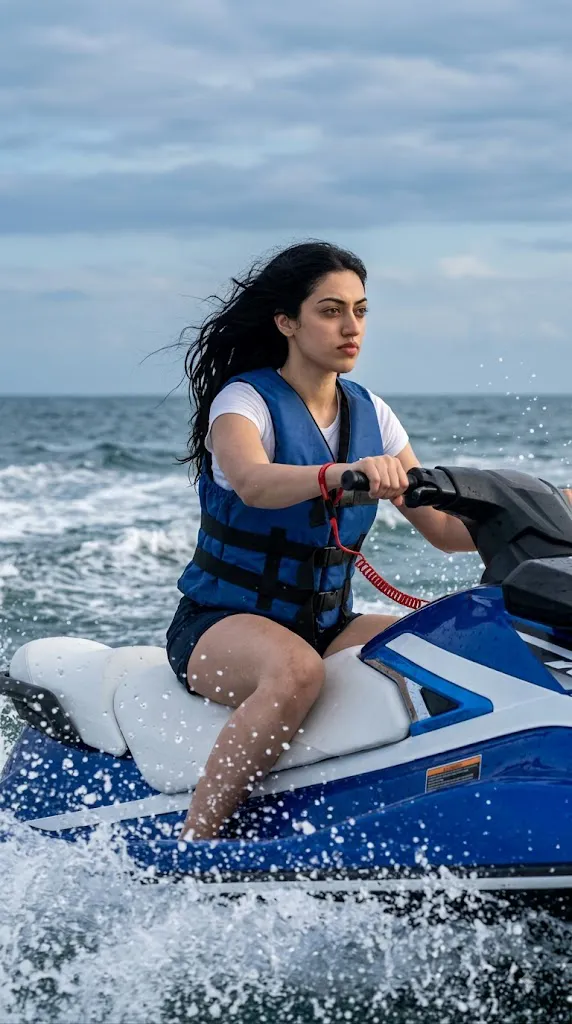
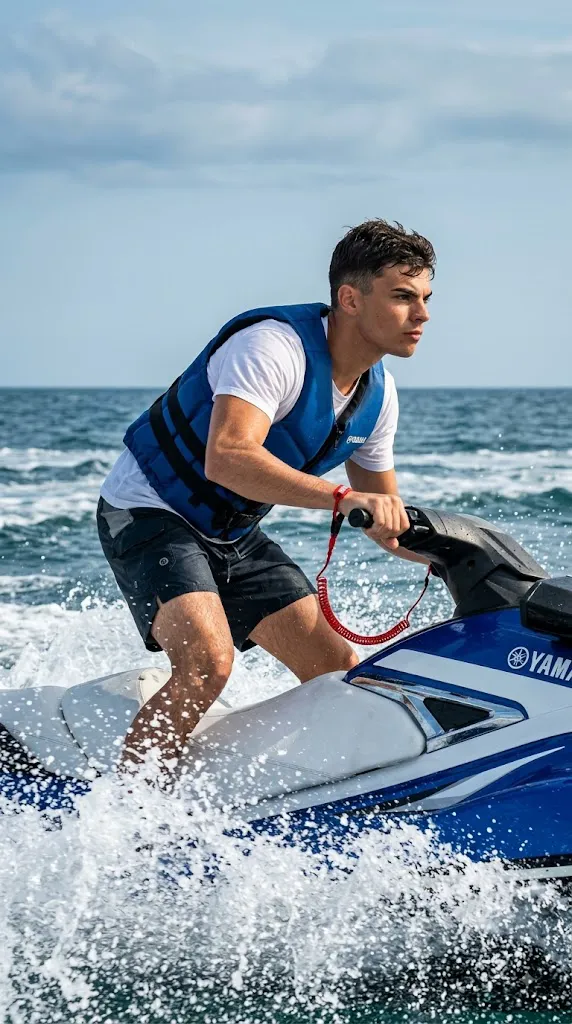
This AI photo-editing style transforms an ordinary portrait into a dynamic, high-energy ocean action photograph. The subject sits firmly on a blue-and-white jet ski, gripping the handlebars with one hand, leaning slightly forward to convey speed, confidence, and control — designed to look like a professional action shot taken directly from water level rather than a casual vacation photo.
Chin stays level, gaze fixed on the right horizon, with a serious yet calm expression that reads as focused determination. Wardrobe includes a padded blue life vest over a white T-shirt, dark shorts, and a red wrist cord for accent. The open ocean stretches to a horizon layered with pale-blue and gray clouds, while strong daylight creates crisp highlights on water splashes and droplets. The overall look combines sharp water detail, natural skin tones, realistic hair and fabric texture, and cinematic contrast for a premium sports-lifestyle finish.
"Jet Ski Cinematic Action Prompt"
Using the subject from the reference image, place them into this scene: seated firmly on a blue-and-white jet ski, gripping the handlebar with one hand, leaning slightly forward to suggest speed and control. Chin level, gaze fixed toward the right horizon, expression serious yet calm — projecting determination. Hair naturally tousled by wind, with realistic texture Framing: Close crop from mid-jet-ski to just above the head, water-level camera angle, slight upward tilt for drama. Lighting: Natural, crisp daylight with soft directional light; sharp sparkling highlights on water splashes; minimal, subtle eye catchlights consistent with a bright open sky. Background: Open ocean with waves and splashes in the foreground, horizon capped by pale blue-gray layered clouds, sky clean but textured. Wardrobe: Blue padded life vest over a white t-shirt, dark shorts, with an accurate red wrist cord. Jet Ski: Exact structure, colors, decals, and dynamic water spray effects matching the reference. Color Grade: Bold blues (water/sky), bright but controlled whites, natural slightly warm skin tones — a dynamic, cinematic sports-lifestyle finish with high clarity and contrast. Technical: Full-frame DSLR/mirrorless, 35mm lens for wide immersive framing, ISO 200, shutter 1/2000 to freeze water spray, daylight white balance. Sharp focus on subject and splashes; background sky clear but non-distracting. 4K-level photorealistic detail — hair strands, water droplets, and fabric textures rendered accurately. Aspect ratio 9:16.
How To Use Photo Editing?
Using the Jet Ski Cinematic Action Prompt works best when the process is divided into several controlled stages. Because the concept depends heavily on pose, vehicle details, water movement, and facial identity, starting with a high-quality reference photograph is essential.
Step 1: Select a Good Reference Photo
Choose a clear, high-resolution photograph of the subject. The face should be visible and preferably captured from an angle that allows the AI system to understand facial structure. Avoid extremely blurry photographs, strong beauty filters, heavy shadows, or images where important facial features are hidden.
Step 2: Upload the Reference Image
Open an AI image-generation or photo-editing platform that supports image references. Upload the photograph and select it as the primary reference.
You can add an instruction such as:
“Use the uploaded photograph as the primary identity reference. Preserve the subject's recognizable facial characteristics, hairstyle, natural skin tone, facial proportions, and overall appearance while changing the environment, wardrobe, pose, and cinematic setting according to the prompt.”
This helps separate identity preservation from the creative transformation.
Step 3: Add the Full Prompt
Paste the complete Jet Ski Cinematic Action Prompt into the prompt field. Include the jet ski, clothing, pose, water movement, ocean background, camera position, lighting, and technical photography details. The more specific the description, the more control you have over the visual result.
Step 4: Generate Multiple Variations
Generate several variations and compare them carefully. Look for the most realistic combination of facial identity, posture, jet-ski structure, water splashes, clothing, and background. Do not select an image only because the face looks good. The entire frame should maintain consistent anatomy and realistic action.
Tools You Can Use For Prompt Copy and Create Photo
Different categories of creative tools can be used to produce this type of image.
1. AI Image Generators
AI image-generation platforms can create complete cinematic ocean scenes from text prompts. They can generate the jet ski, ocean, clouds, water splashes, clothing, lighting, and photographic composition. For reference-based portraits, choose a platform that supports image references or identity consistency.
2. AI Photo Editors
AI photo-editing applications are useful when you already have an existing photograph and want to place the subject into a completely different environment. They can help with background replacement, clothing transformation, lighting changes, object integration, and cinematic effects.
3. Professional Photo-Editing Software
Traditional editing software can be useful for final corrections. After generating the image, you can adjust exposure, contrast, highlights, shadows, cropping, sharpness, and color balance. This is particularly useful for creating a polished sports-photography finish.
4. Image Enhancement Tools
Upscaling and enhancement tools can improve small details such as water droplets, hair strands, clothing texture, jet-ski surfaces, and facial details. Use enhancement carefully because excessive sharpening may introduce unnatural textures.
How To Edit Photo?
Once the initial image has been generated, inspect the important elements individually before applying final adjustments.
Step 1: Check Facial Identity
Compare the generated face with the original reference image. Check the eyes, eyebrows, nose, lips, jawline, hairstyle, skin tone, and overall proportions. The face should remain recognizable without excessive smoothing or artificial beauty effects.
Step 2: Refine the Pose
The subject should be seated firmly on the jet ski with a natural forward-leaning posture. One hand should grip the handlebars correctly, while the body should communicate movement and control. Pay particular attention to the arms, hands, shoulders, and torso because AI-generated action poses can sometimes produce anatomical inconsistencies.
Step 3: Improve the Jet Ski
The blue-and-white jet ski should remain structurally believable. Its handlebars, seat, body panels, decals, and other visible components should have realistic proportions. Avoid unnecessary modifications to the vehicle because the jet ski is one of the main visual elements.
Step 4: Enhance the Water Effects
Water splashes should appear dynamic and physically realistic. Individual droplets should be sharp enough to communicate high shutter speed. The water should interact naturally with the jet ski rather than appearing like random floating particles.
Step 5: Refine the Wardrobe
The blue padded life vest should sit naturally over the white T-shirt. The dark shorts should have realistic fabric folds and proportions. The red wrist cord should remain visible and correctly positioned without becoming an oversized visual element.
Step 6: Improve the Ocean Background
Create a wide-open ocean with visible waves extending toward the horizon. The horizon should remain believable and relatively clean. Layered pale-blue and gray clouds can add depth without distracting from the rider.
Step 7: Adjust the Lighting
Use strong but natural daylight. Soft directional illumination should shape the subject's face and body while bright sunlight creates crisp highlights across the water. Avoid excessive HDR effects, artificial glow, or unrealistic reflections.
Step 8: Apply Cinematic Color Grading
The final grade should emphasize vibrant ocean blues and clean whites while maintaining natural skin tones. A slightly warm skin tone combined with cool blue surroundings creates a cinematic sports-lifestyle contrast. Keep the contrast strong enough to make the image energetic, but avoid crushed shadows or blown highlights.
Step 9: Maintain Sharpness
Because the scene represents high-speed action, the subject and nearby water splashes should remain sharp. Background clouds can remain slightly softer while still retaining recognizable texture. A fast shutter-speed aesthetic helps create the impression that the photograph was captured during real movement.
Step 10: Choose the Final Composition
A close vertical crop can work particularly well for social-media portraits. Frame the subject from approximately the middle of the jet ski to just above the head. Keep enough ocean and sky visible to communicate the scale of the environment while ensuring the rider remains the primary focal point.
Conclusion
This prompt merges high-speed adventure, sports photography, and cinematic lifestyle aesthetics into one concept. The water-level, slightly upward camera angle gives the rider a powerful presence against the open ocean and sky. Best results come from a strong reference photo, detailed prompt instructions, multiple generated variations, and careful inspection of face, hands, jet ski, and water details — followed by subtle enhancement and controlled color grading for a polished, cinematic finish suitable for social media, travel content, or sports-lifestyle campaigns.